
Affordable Office 365 Backups with Synology Active Backup
When it comes to backups and Office 365, there are plenty of misconceptions in the industry. Yes, you do need to backup Office 365 data; No, it doesn’t have to cost you an arm and a leg. Synology’s Active Backup for Office 365 gives you backups without breaking your budget.
Synology reached to me and asked if I would be interested in reviewing their Active Backup suite. To help, they have supplied me with one of their latest generation devices a DiskStation DS920+. This is not a sponsored post and the thoughts within are my own.
Why Backup Your Office 365
Too many organisations and IT professionals believe that you do not need to perform backups of Office 365 data. The truth is, just like any other production system, you need to have a backup plan for this data.
Typically, backups are described as a copy of data that is taken and stored away from the original. A backup can be used to restore the original after a data-loss event. To be clear, backups are independent copies; they should be stored separately of the original data.
Microsoft doesn’t provide any services as part of Office 365 that fit this description. If you don’t believe me, just checkout their Office 365 compliance documentation (Microsoft O365 Mapping of CSA CMM v3.0.1):

Microsoft O365 Mapping of CSA CMM v3.0.1
People confuse backups for redundancy, particularly geo-redundancy that Microsoft provides with Office 365. Geo-redundancy involves replicating data between multiple sites, with the aim of ensuring that access to data is always available, even in the event of hardware or site failures. With replication, data deletion requests or data corruption will be replicated to each site. Replication doesn’t stop deletion or corruption; it doesn’t let you go back in time as there are no separate copies of the data.
People also confuse litigation holds and retention policies with backups. These controls allow you to specify how long data is held or retained by Office 365 even after a user deletes it. There are no separately stored copies of the data, for later restoration. If a file or message is corrupted, retention policies will simply define how long Office 365 keeps a copy of that corrupted piece of data.
Another consideration is compliance – everyone’s favourite topic. Most level and regulatory frameworks define a backup requirement or the ability to retrieve past data. Retention policies can help here, but backups are the only tool to ensure you truly meet your compliance requirements.
Synology Active Backup for Office 365
When you talk about backup products, Synology might not be the first vendor you think about. I am here to tell you needs to change. Synology’s Active Backup Suite is here to challenge the status-quo.
The Active Backup Suite comes as free packages that can be installed on any compatible Synology hardware. It offers a wide range of protection, including:
- Client PCs, servers, file servers and virtual machine hosts – with Active Backup for Business,
- Office 365 including Exchange, SharePoint and OneDrive – with Active Backup for Office 365, and,
- G Suite including Gmail and Google Drive – with Active Backup for G Suite.
The focus of this review is Active Backup for Office 365, but I encourage you to check out the rest of the Active Backup Suite.
Cost Effective Backups
I am impressed with how Synology has positioned itself in what could be considered a crowded solution space. They have positioned themselves as being cost-effective, by ditching the per-user licensing model of their competitors. All you need is a compatible Synology NAS and enough storage, and you are good to go.
I will admit, the licensing model grabbed my attention when Synology first contacted me. No per-user licensing, they must be crazy. As the Head of Information Technology at Telstra Purple, I spend a significant portion of my time navigating vendor licensing models. Most products in the Office 365 backup space make use of a per-user monthly or yearly subscription model, something that looks low cost for small user counts, but as you scale out, the cost can get out of hand.
I wanted to get a rough idea of the cost difference between Synology and one of its competitors. As I said, this is a rough estimate, but helps to show how Synology are positioning Active Backup for Office 365. In this example, I will be working with an Office 365 tenant that has 500 users, and I want to retain the backups for 7 years. Below are my estimates (in AUD).
| Active Backup for Office 365 | Competitor's Product | |
|---|---|---|
| User licensing | $0 | $10,000/year |
| Server | Synology DiskStation DS3617xs @ $3900 | Azure D4v3 @ $500/month |
| Storage | 12 NAS rated 10TB Disks @ $550/each | Azure Storage @ $2000/month |
| Total Costs | ||
| Yearly cost | $10,500 | $40,000 |
| Total cost over 7 years | $10,500 | $280,000 |
I realise this this isn’t the fairest of comparisons, with power, cooling and replacement hard disks have not factored into the Synology estimate. I have also assumed a fixed amount of Azure Storage consumption for the competitor. What should be clear is that the biggest factor on overall cost is the yearly per user licensing.
As someone who is responsible for maintaining an IT budget, I must admit, it would be hard to choose the more expensive option.
Easy to Configure Backups
From personal experience, enterprise backup solutions were always complicated to configure and maintain. I still have nightmares about troubleshooting backups on Exchange 2010! Due to this experience, I allocated plenty of time to setup Active Backup for Office 365, only to be surprised when it took all of 10 to 15 minutes. I was also impressed to see support for multiple Office 365 tenants.
Currently, Active Backup offers protection for OneDrive, Exchange Online (mail, contacts, calendar and online archive) and SharePoint sites. In the beta release, there is addition support for Office 365 groups. The only thing I really would like to see is support for Microsoft Teams chat and conversation history.
I really liked how you can specify if newly created Office 365 user accounts are automatically included in each backup tasks. This is a great touch as it reduces the amount of work required when onboarding new users, awesome for those forgetful system administrators.
My only disappointment when configuring backup tasks was how you specify data retention. Active Backup for Office 365 provides two options: keep all versions or specify how many days a copy should be kept. Every vendor has their own approach for specifying retention policies, and Synology isn’t alone with the all or number of days approach. I personally prefer how retention policies are specified in Azure Recovery Vaults. This issue isn’t a showstopper, but more fine-grained policies might allow for better storage efficiency.
Easy to Restore Content
Synology haven’t just made running backups easy, they also made it easy to restore content with an end-user accessible self-service portal. From the Active Backup for Office 365 Portal, users can choose to restore data that may have been deleted or corrupted, without the need for administrator involvement.
Providing self-service options to your users is a critical aspect to the success of any IT team. The simple option of allowing users to perform tasks, like restoring Office 365 files and content makes them feel empowered and most importantly, frees up your IT team to work on more important tasks. Self-service will make you and your users happy.
Unfortunately, I found the portal a little bit difficult to navigate. I wish the interface more closely resembled the Office 365 user interface, as that would have felt more intuitive. I felt the mechanism to switch between viewing mail, OneDrive, contacts and calendar items wasn’t obvious at first.
Synology recommends enabling single sign-on (SSO) with Azure Active Directory. This will allow users to connect to the portal using their Office 365 credentials, no need for separate accounts. This isn’t required, but I would expect this to be setup for production environments. If you wish to use accounts created on the Synology, just ensure that the email address matches between the Synology account and the Office 365 account.
Synology currently only supports one SSO provider, so if you are performing multi-tenant backups, you will need to consider which Azure AD you federate with. SSO is configured via Azure AD application registration, so you will not need Azure AD Premium licenses.
Overall Thoughts
| ✔ | Setup is simple. |
| ✔ | Support for user self-service data restoration. |
| ✔ | Support for multiple Office 365 tenancies. |
| ✔ | No per user licensing, subscriptions or renewals. |
| ❌ | No support for Teams conversation history. Currently supports OneDrive, Exchange (mail, contacts, calendar and online archives) and SharePoint sites. |
| ❌ | Retention policies are someone limited. |
| ❌ | Requires the purchase of hardware. |
I am really impressed by Active Backup for Office 365. Setting up Synology appliances and applications has always been very user friendly. The setup and restore experience are well designed and when integrated with Azure AD sign-on, provide end-users with self-service content restoration.
I believe the licensing model will be highly attractive to many organisations, even large enterprises; however the misconception that Synology’s market is home users, hobbyists and small businesses may result in many IT professionals to not thoroughly consider Active Backup for Office 365. Don’t fall for this misconception.
As someone who leads the internal IT team for a cloud first organisation, I can see the requirement to purchase Synology hardware a drawback. This could be a real blocker. Synology have some cloud offerings, perhaps their next step would be to offer Active Backup as a SaaS product.
I recommend that anyone supporting Office 365 environments to look at Active Backup for Office 365. It allows you to meet your organisations backup and data protection requirements as a cost-effective price point. I am and will recommend Active Backup for Office 365 to customers, clients, friends.
Active Backup for Office 365 is under active development, there are additional features and fixes already available in the public beta release.
I want to thank Synology for giving me the opportunity to work with DiskStation DS920+, it is a remarkable device that is very suited for IT professional and hobbyist use.
First Impressions: MSI GS30 Shadow Pt3 - The Dock
In this final post, I will talk about the GS30's dock and my overall thoughts on its performance.
Whilst the laptop is cool, everything is really talking about the dock. As I mentioned earlier, the dock consists of a PCI Express x16 slot, a 450 watt power supply, a KillerNIC, audio connectors (speakers and microphone), stereo speakers with sub-woofer and 4 USB3 ports.
You can install any NVIDIA or ATI card you want into the dock, and from any manufacturer. It should be noted though that MSI has stated that all of their cards will work within the dock. I chose an MSI NVIDIA GeForce GTX 970 not only on the reviews, but also due to the fact I knew I would receive suitable support in such a configuration. The power supply in the dock has two 6/8 pin power plugs to supply power to whatever card you end up selecting. There is also a fan on one side to assist in keeping everything cool.
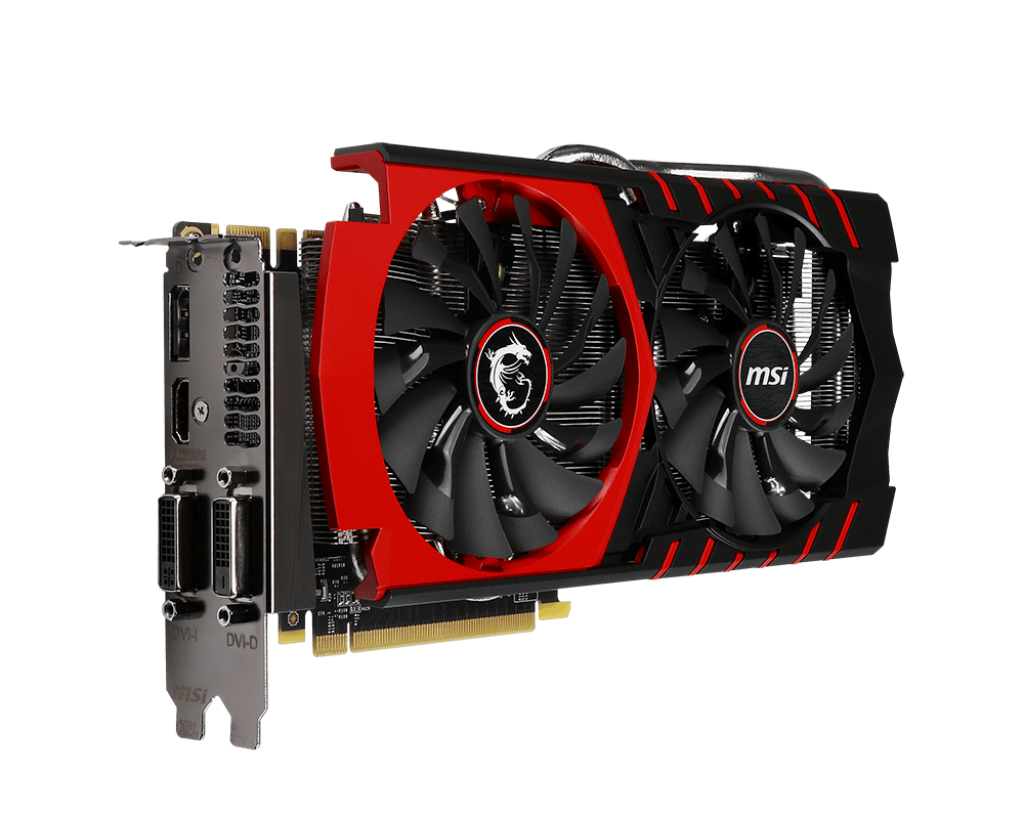
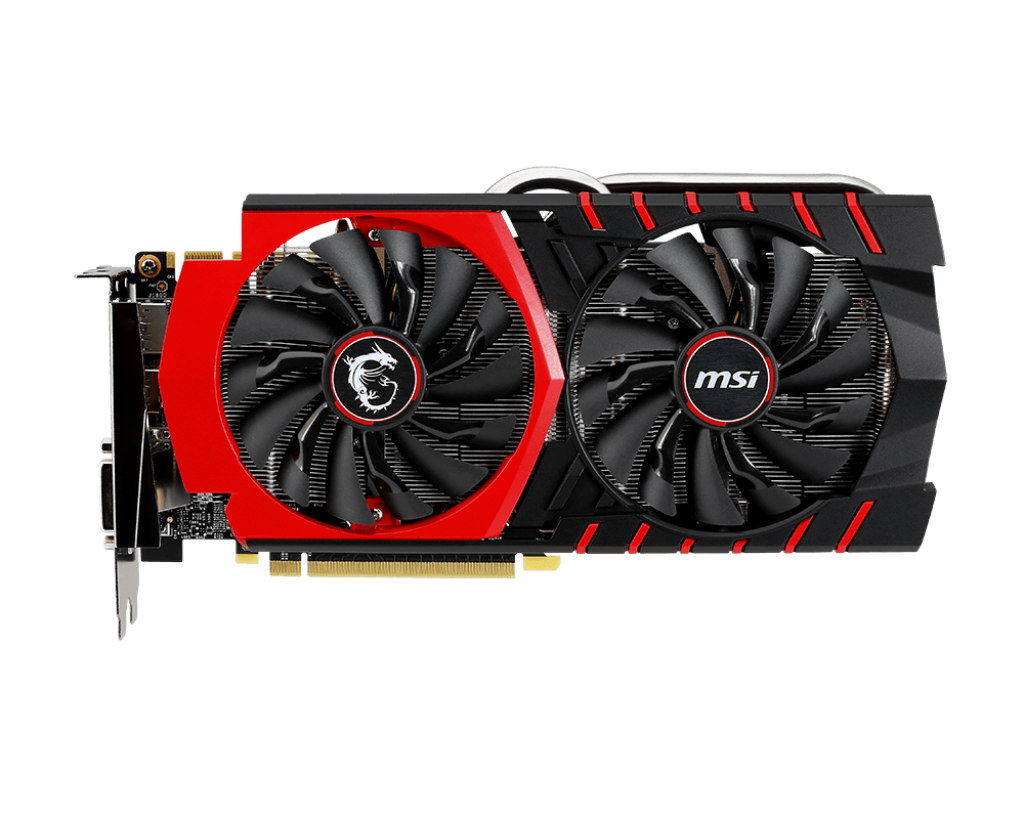
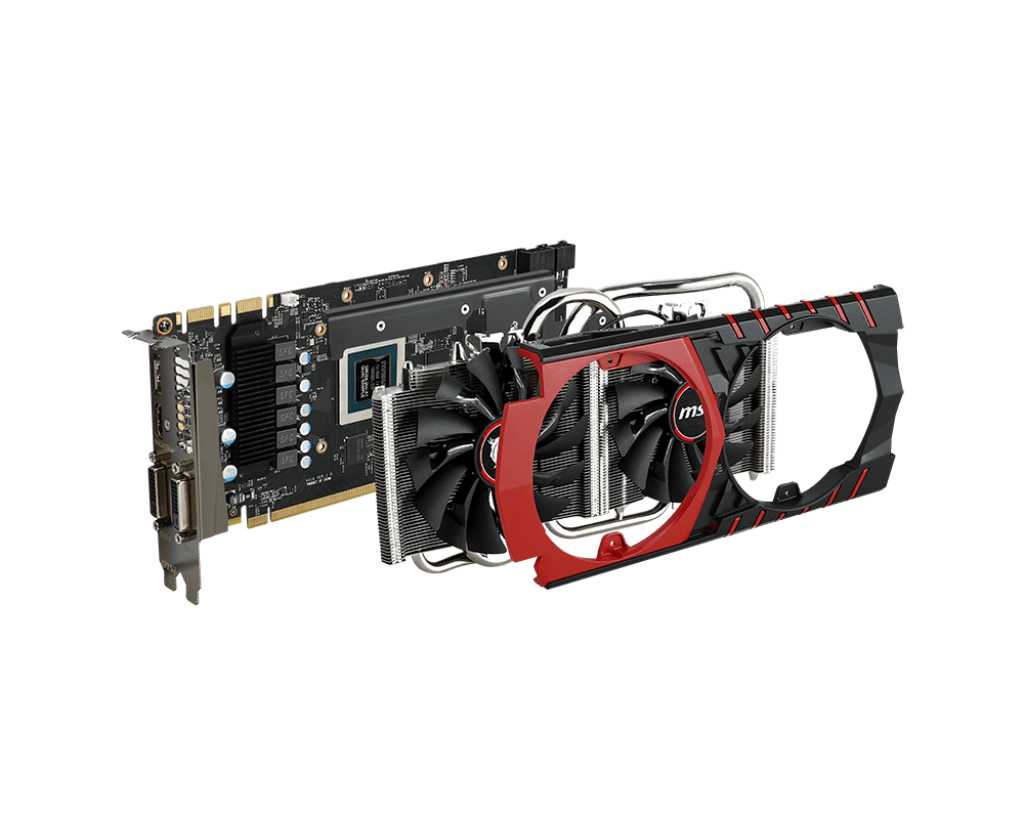
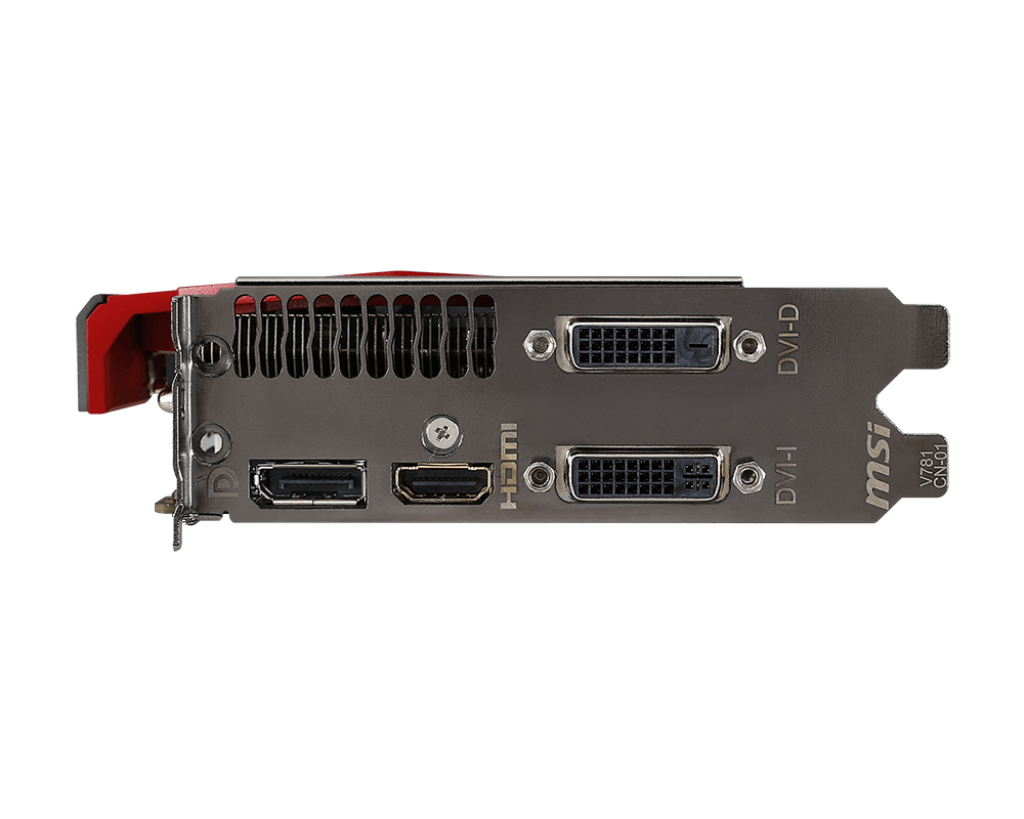
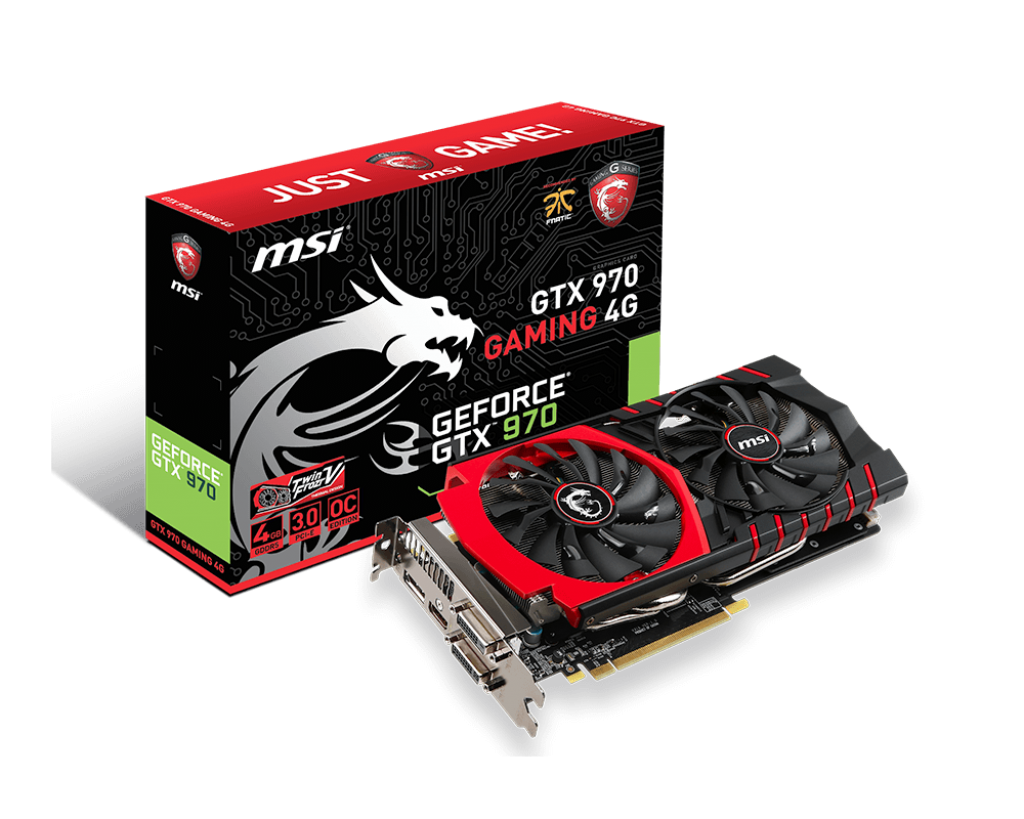
It is worth noting that MSI wasn't the first to come up with the idea of strapping a desktop graphics card to a laptop. Currently the other well-known vendor is Alienware. Alienware first offered the graphics amplifier to their 13 inch series, and in the latest generation it is available in the 15 and 17 series. MSi claim that the biggest difference between the GS30 and the Alienware is that their dock is a PCI Express x16 solution, whilst the Alienware is only x4. There is a significant bandwidth difference between PCI Express x16 and x4, however these claims haven’t been independently verified.
Connecting to the dock is a fairly straight forward process. Shutdown the laptop, place the laptop in the cradle and pull the handle to bring the two together. The locking process also ensures that there is now way the laptop could easily come away from the dock. For those who are wondering, the dock connector looks pretty much like a PCI Express connector. To undock, simply shutdown and unlock then push the handle to eject the laptop. You need to shut down, you cannot simply put your laptop to sleep or hibernate. My theory of how everything is working internally, and this is just conjecture, is that when connected, the dock is disconnecting the Intel Iris graphics and the Atheros Ethernet controller.
I chose to install my Western Digital 2TB Black Edition drive in the dock. This drive has all 240 of my Steam games, and has worked well for me in my previous system. Installation of the drive was also extremely easy, I recommend installing the hard disk prior to installing the video card.
The audio options on the dock are rather disappointing. Whilst it is great to see (hear) the stereo speakers and sub-woofer in the dock, I would have much rather seen a fully fledged sound card included. I previously used optical out to a set of Yamaha speakers, now I am going to have to go back to the drawing board because the GS30 dock only provides a standard headphone/speakers connector.
I have been extremely impressed by the performance of the GS30, dock and GTX970 combination. Whilst I haven’t spent much time playing games, only FireFall and BioShock Infinite, I can confirm the performance is quite remarkable. I was not disappointed running both games with their video settings maxed out. The fans on the laptop will ramp up during this time, but once again, it is nothing too serious.
For a detailed performance breakdown and benchmark, check out the review by Hexus here.
“Transforming a thin-and-light 13.3in laptop, the bundled GamingDock opens the door to greater storage, better connectivity, improved audio and a far superior graphics experience.”
Conclusion
Overall this is an exceptional laptop, be it as a work PC running virtual machines or visual studio, or at home as a gaming machine. This is a great work machine and a great home machine. I would definitely recommend it to people!
Whilst the laptop would probably struggle competing on its own against the likes of Alienware or the HP Omen, or even a business oriented device like the HP EliteBook Folio, when combined with the dock, it becomes one hell of a system.
MSI have done an amazing job, their engineers have created something exciting, unique and quite revolutionary. I will be very interested to see how they continue to develop and expand upon this concept in the coming years. Hopefully in 2 years when I am looking for a new laptop, they will have resolved some of my gripes and filled in some of the missing features.
“The GS30 Shadow is definitely one of the more interesting laptops we’ve seen, and for those that don’t need to have a ton of gaming power on the go it offers a nice blend of mobility with the option to hook up to a dedicated display and GPU at home for serious gaming.”
Summary
Pros:
- True Quad Core i7
- Docking station
- Lightweight Ultrabook
- 16Gb of memory
- Twin 128Gb SSDs
- Gaming performance when docked is equivalent to desktop systems
- Excellent option for work/life balance system
- All of your data in one place
- Dock features PIC Express 16x and one SATA 3 port
Cons
- No touch screen
- No TPM
- No NFC
- No KillerNIC Ethernet or WIFI on Laptop, KillerNIC only in dock
- Screen resolution could be higher
- Audio options could be better (no optical out)
- Need external monitor/keyboard/mouse when docked
- Need to shutdown to dock/undock
- 3 hours battery life
Improvements I want to see in the future
- Touch Screen
- TPM
- NFC
- Better audio options in the dock
- Windows 8.1 pro
- No Symantec AV
- Better driver update system
Kieran Jacobsen
First Impressions: MSI GS30 Shadow Pt2 - A powerful ultrabook
Welcome back! Yesterday I introduced the MSI GS30 Shadow, and today I will be talking about the specifics of the laptop and its performance whilst away from the docking station. Tomorrow I will talk about the dock in more detail.
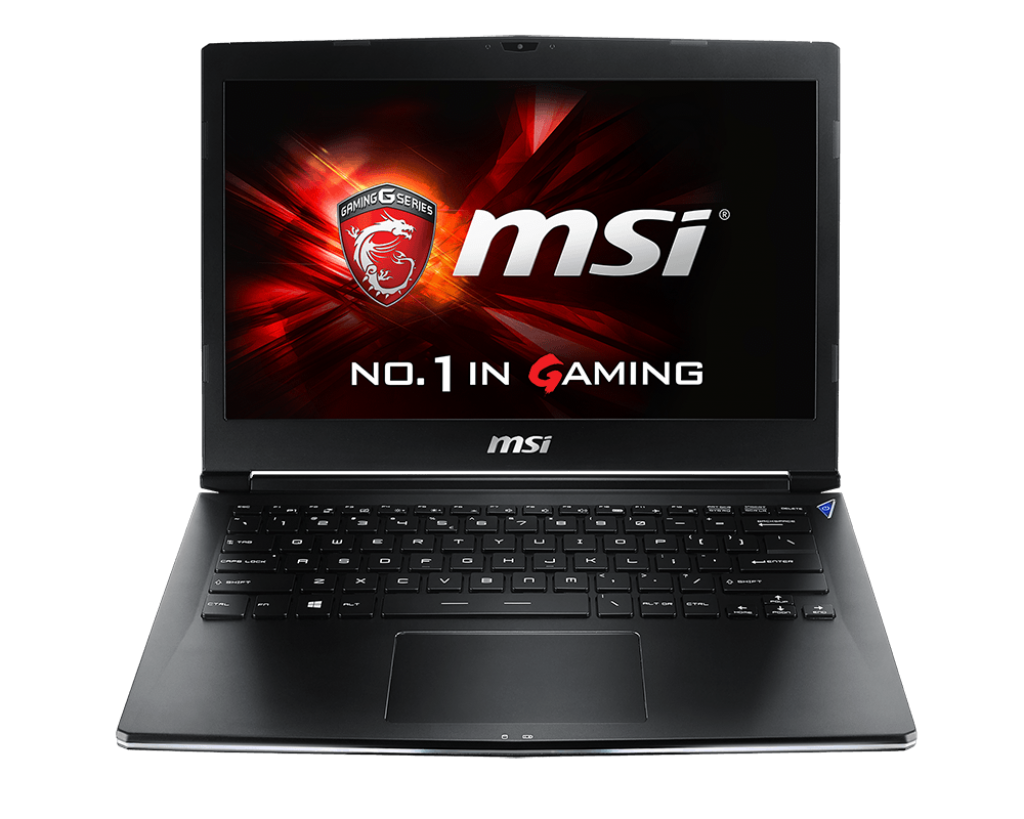
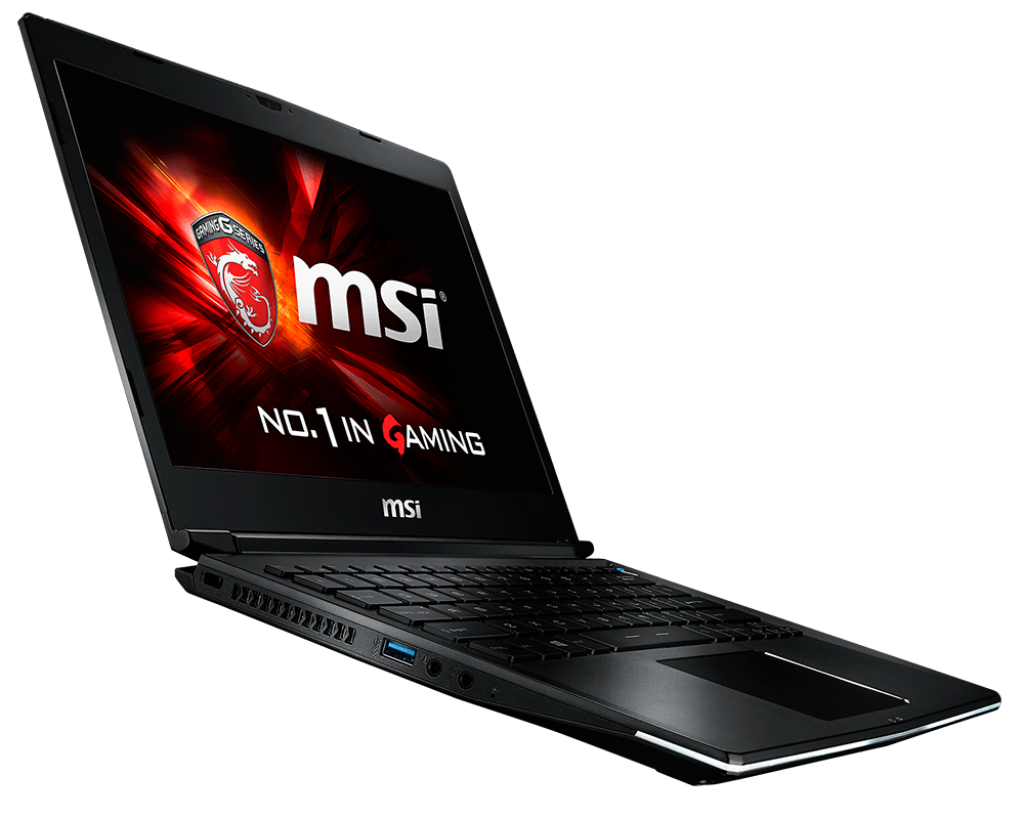
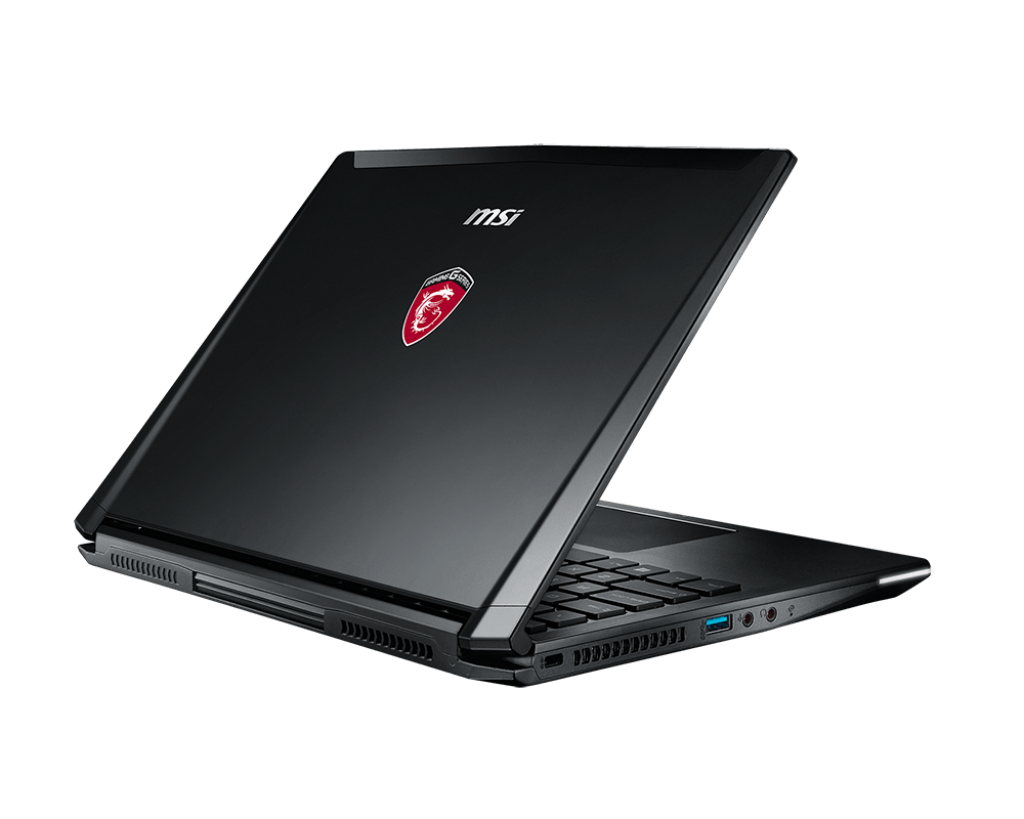
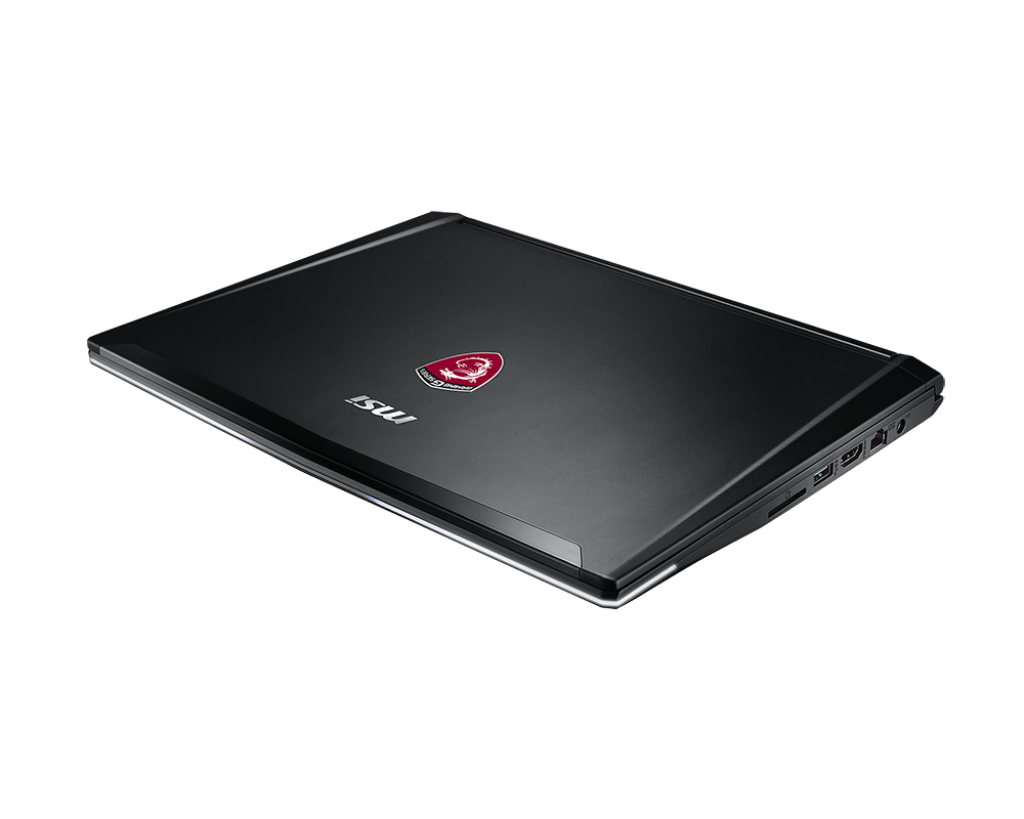
“MSI has come at this new approach to empowering gaming notebooks from a different angle from its competition, focused almost solely on value, performance and design in GS30 Shadow and GamingDock. The result is a machine that can be an Ultrabook in your backpack when you need to get things done and a gaming PC at home that can play with the big boys.”
Upon unboxing the laptop, there were a few things that caught my surprise. Firstly, it is packed at the bottom, with the weighty dock on top of it. More importantly however, the laptop looks really well designed, and is extremely light. The styling is quite plain, quite utilitarian, but on the whole very nice to see. This is not a garish looking machine like the Alienware laptops which screen “I AM A GAMMING MACHINE” at the top of their lungs, this is a quite but extremely powerfully little creature which doesn’t like the limelight. The GS30 reminds me of my older Dell Latitude crossed with my old Sony VAIO. I wish I could say that this design allows it to blend into a corporate environment, but MSI then decided the GS30 did need to look a little like its Alienware competitors. The front bezel has a white light along the front of it, not a simple little white light, but a long beam of white light which really does take away from the look. You can’t turn it off, dim it or change the colour. It is rather disappointing, and just drains battery in my opinion.
The GS30 comes with an interesting array of hardware options, featuring an Intel Core i7 (4th Gen) 4870HQ CPU, 16GB of memory and two 128GB SSDs which are in a RAID0 (stripped) set.
Having a quad core CPU, whilst there are significant reasons to have reservations about putting a such a processor into a laptop, MSI appears to have pulled this one off quite well. Most people I have spoken to about the GS30 ask me one thing, “is it noisy?”. The answer to this is, well, sort of. The GS30 does appear to have some very efficient and well-designed cooling, however if you place a quad core i7 processor under load, there will still be quite a bit of heat generated that needs to go somewhere. Unlike many other laptops, which become hot to touch under extreme load, the GS30 remains cool. The fans can be loud, these are not the quite fans in your Surface Pro, I work in an office with quite a few MacBook Pros, and the GS30 fans are extremely comparable to those.
Coming with 16GB of memory is probably suitable for most developers and gamers, however it would have been really nice to have the option for 32GB. I suspect the limitation here is more around the fact that DDR3 modules for laptops max out at 8GB, and there wasn’t the space to offer 4 memory slots, only 2.
The storage configuration still seems a little bit of a waste for me. Whilst there does seem to be a performance boost, I don’t think it is significant enough overall, but I wonder what the design and cost implications to this one are. I really have to wonder why MSI chose 128 GB SSDs, this does seem to be a very small size, especially for something targeted towards the gamming community. I realise that I have another SATA3 HDD in the dock, but a little more whilst away from the docking station would have been nice. The good news, these drives are replaceable, if you want to touch the warranty void sticker.
The GS30 features a 13 inch, 1920*1200 resolution display with a matte finish. If you like an extremely glossy screen, you might want to look elsewhere. The screen is quite thin, much like any of the high end Sony, Dell and HP laptops, and whilst others have mentioned it seemed “flimsy”, I don’t seem to think it is. This is an extremely nice screen to use and I am very pleased to use it. Viewing angle seems extremely good, and the display is crisp and clear. I do wish for a few things, higher resolution, touch support and a wider opening angle. A higher resolution is always good however it can introduce its own set of issues; touch support seems pretty obvious these days, but it is something you can live without. The last, the opening angle, might seem to be an odd comment, however due to the design of the docking connector, the laptop screen cannot be opened fully and you are limited to about 120 degrees. This isn't a huge issue for me, but I could understand others wanting to open their laptop to almost flat.
The GS30 comes with an Intel Iris Pro 5200 graphics card for times when you are not connected to the dock. This is new from Intel however I have found it to be extremely suitable with a great balance between performance and battery life. I will admit I haven’t tried gaming whilst mobile yet.
There are a bunch of little things that MSI has done really well in the GS30. I really appreciate that internal components like Ethernet, WIFI, Bluetooth and the SD card are not based upon internal USB connections like those found in some low end DELL and HP laptops, and in the Surface PRO. Tight integration with the PCI Express channels provides extremely suitable performance and reliability.
WIFI connectivity is provided by an Intel 7260, and Ethernet is provided (whilst undocked) by a Qualcomm Atheros AR8161. The GS30 doesn’t suffer from the WIFI drop outs suffered by the Surface Pro 1, 2, and 3. My connectivity in the office has improved quite significantly. I am left wondering why MSI didn't package a KillerNIC WIFI and Ethernet controller in the laptop. A significant proportion of MSI’s other devices feature the Killer Double Shot Pro, so why not this one? I thought that would seem pretty logical for their target market, one positive about the use of these two is extremely strong Linux and visualization performance.
Battery life could be better. The GS30 provides about 3 hours battery life in the limited testing I have performed. This isn't great by any means, but isn't the end of the world.
A quick word on the keyboard. Yes it is back lit, however you do not get any control over the colour, nor are there programmable/macro key support like other MSI laptops. To some this could be a disappointment, however in the grand scheme of things, it is something you can live without.
Now for my big rant. I was quite gutted to see that the GS30 doesn't come with a TPM. I realize that this device is targeted towards gamers, and not the security paranoid let’s encrypt everything crowd that I belong to. This is however 2015, how much effort would have it taken to install one? Seriously, they are tiny chips. I can work around that, but this is the one thing I wish I could get MSI to fix!
Join me tomorrow when I review the GS30's dock, gaming and the performance over all.
Kieran Jacobsen
First Impressions: MSI GS30 Shadow Pt1 - A work/play laptop
Over the past few weeks I have been looking to purchase a new laptop for work, I have also been on the market for a new gaming system since mine was rendered inoperable by the removalists. I was in a tough spot, requiring a lightweight and portable laptop for work, and then something with the power to play games when at home.
In the past, I always preferred to keep these two distinct usages types separate, there are a number of distinct advantages to this, as well as a number of disadvantages. Now I had been considering finding something that could at least provide the best of both worlds, or close to that as possible. I want my cake and I want to eat it!
What do I actually need in this laptop? Well the requirements are tricky, but not impossible:
- 12 to 15 inch screen
- 16Gb to 32Gb of memory
- Minimum 256Gb SSD
- Decent graphics performance provided by mid to high end NVIDIA or ATI
- Have some battery life
- Good price point
There were a number of systems which met these requirements to varying degrees, including:
Overall, these laptops are very good, however I just wasn’t convinced that they really would be suitable. Then early last week, I was catching up on more CES 2015 coverage, looking for more reviews and stumbled up an AnandTech article, MSI Announces GS30 Shadow Laptop and GPU Expansion Dock. I was immediately intrigued.
What sets the MSI GS30 Shadow apart from almost every other laptop on the market is its unique docking station. Now you might be thinking, “Kieran I have been using a docking station for 10 to 20 years now, that isn’t something special”, and you could be right at first glance, but the GS30’s dock is very special. For the majority of laptops, their docking stations have become nothing more than glorified port replicators that simply reduce the effort of plugging in all of your accessories. In the past docking stations would provide a significant boost in functionality and often included features like a modular bay for an additional CD drive or Hard Disk, or in the case of the Dell C series, a PCI card. The dock that is packaged with the GS30 is more like the old fashioned docking stations, but on steroids, lots of steroids! The GS30 dock comes with a PCI Express x16 connector, a 450 watt PSU, a 3.5 inch disk drive and SATA3 connector, a KillerNIC network controller and 4 USB3 ports. The dock alone has some serious computing power!

“If you’re curious how MSI is interfacing with all of these extra devices and whether there will be sufficient bandwidth, the answer is that the dock uses a full x16 PCIe 3.0 based connector.”
Whilst MSI announced the GS30 back in September 2014, little was really known about it till the official launch as part of CES 2015. Whilst there are one or two hands on reviews and videos, there is only one through performance review at this point. Even so, I still wanted to get my hands on one, so the next morning I ordered one, and picked it up the very same day. I also got my hands on an MSI NVIDIA GeForce GTX 970 4GB. I was informed by the owner of my local computer store clerk that I was the first owner of a GS30 in Australia.
Join me, tomorrow for part 2 where I discuss the laptop, its features and performance.
Kieran Jacobsen